
Sync your device to a PC
Samsung Kies is a free utility tool software program designed to manage Android devices for easy syncing between your phone and computer. This includes files like music and videos, streamlining the transfer process and eliminating the need for less reliable third-party applications. It supports both Windows and Mac operating systems.
Top Recommended Alternative

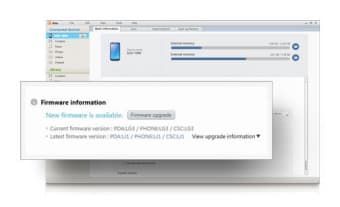
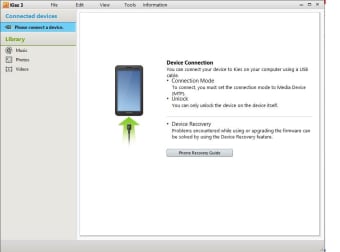
Samsung Kies uses a USB cable connection to establish a direct link between the devices, automatically checking for and notifying you about available firmware updates, ensuring your device operates with the latest software. It does not support Android OS versions before 4.3 Jellybean, which limits its use for older devices.
A faster way to sync your data
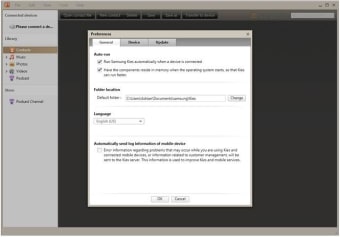
Samsung Kies is compatible with a wide range of Samsung devices, including models within the Galaxy series. The installation process involves installing several drivers. The program itself features a simple and clean interface, characterized by its intuitive design and user-friendly navigation. It offers different modes, Lite and Normal: Lite mode simplifies the interface, while Normal mode provides access to the full suite of features, including media management tools.
It supports a wide array of multimedia file formats, enabling seamless transfer of files between your PC and Android device. It also simplifies content transfer from the device's library using drag-and-drop functionality. Kies supports exporting SIM data and allows users to save contacts in various formats. Additionally, users can copy photos, videos, and audio files to a preferred location on their computer.
Convenient file copying is also available, and it allows you to sync info from Google Contacts, Calendar, and Outlook. Unlike some utility tools, it includes a built-in audio and video player. Additionally, it also offers a built-in video converter. However, it can’t back up DRM-protected data, and can crash occasionally during prolonged sessions. Nonetheless, it’s still one of the best programs for these purposes.
A sure way to back up your precious data
Samsung Kies turns out to be an essential tool for syncing data, offering features like file transfer, backups, and firmware updates. It supports various media formats and provides a user-friendly interface. While limited by Android version compatibility and occasional crashes, Kies remains a strong option for any Samsung device management.